3.1 Control Plane vs Agent Execution Plane
3.2 Project Scope Model
3.3 Data Flow: Source -> Release -> Pipeline -> Logs/Artifacts
3.4 Runtime Configuration Layers (global / project / environment)
3.5 Pipeline Execution Semantics
3.6 Release Governance Path
3.7 Rollback Architecture (Policy-driven)
3.8 Security and Trust Boundaries
3.9 State and Persistence Model
3.10 Scalability Model
3.11 Failure Modes and Recovery Patterns
3.12 Why This Architecture Works in Practice
2.6 Launch First Run and First Release
Orbnetes deployment and release orchestration documentation for operators and platform teams.
First Standalone Run
- Open Run Blueprint (standalone launch).
- Choose blueprint.
- Fill required launch inputs.
- Launch.
- Verify pipeline graph, per-job live page, and console logs.
What to confirm:
- Job routing by tags works.
- Dependencies (
needs) execute in expected order. - Final status reflects command result.
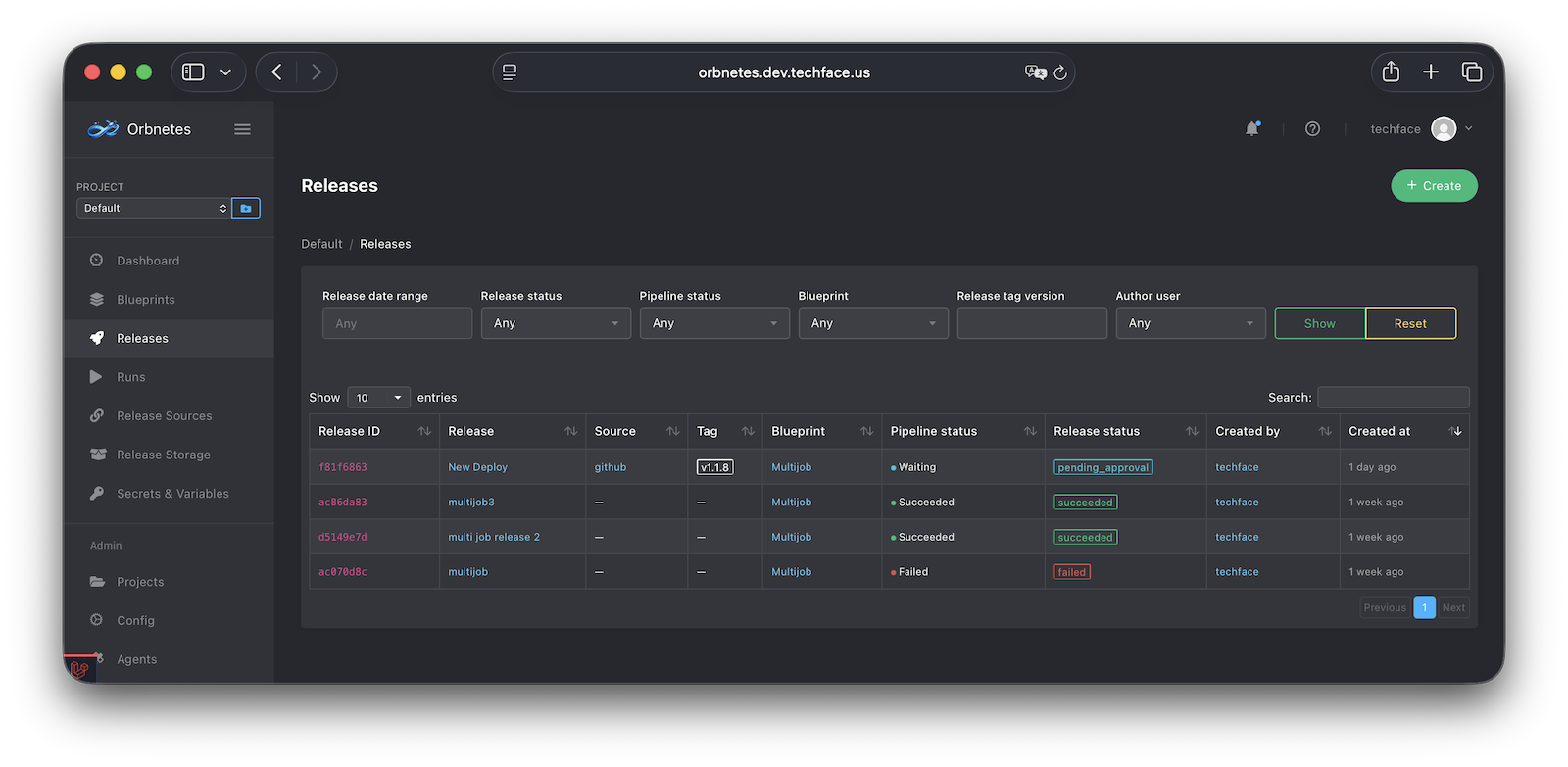
First Release
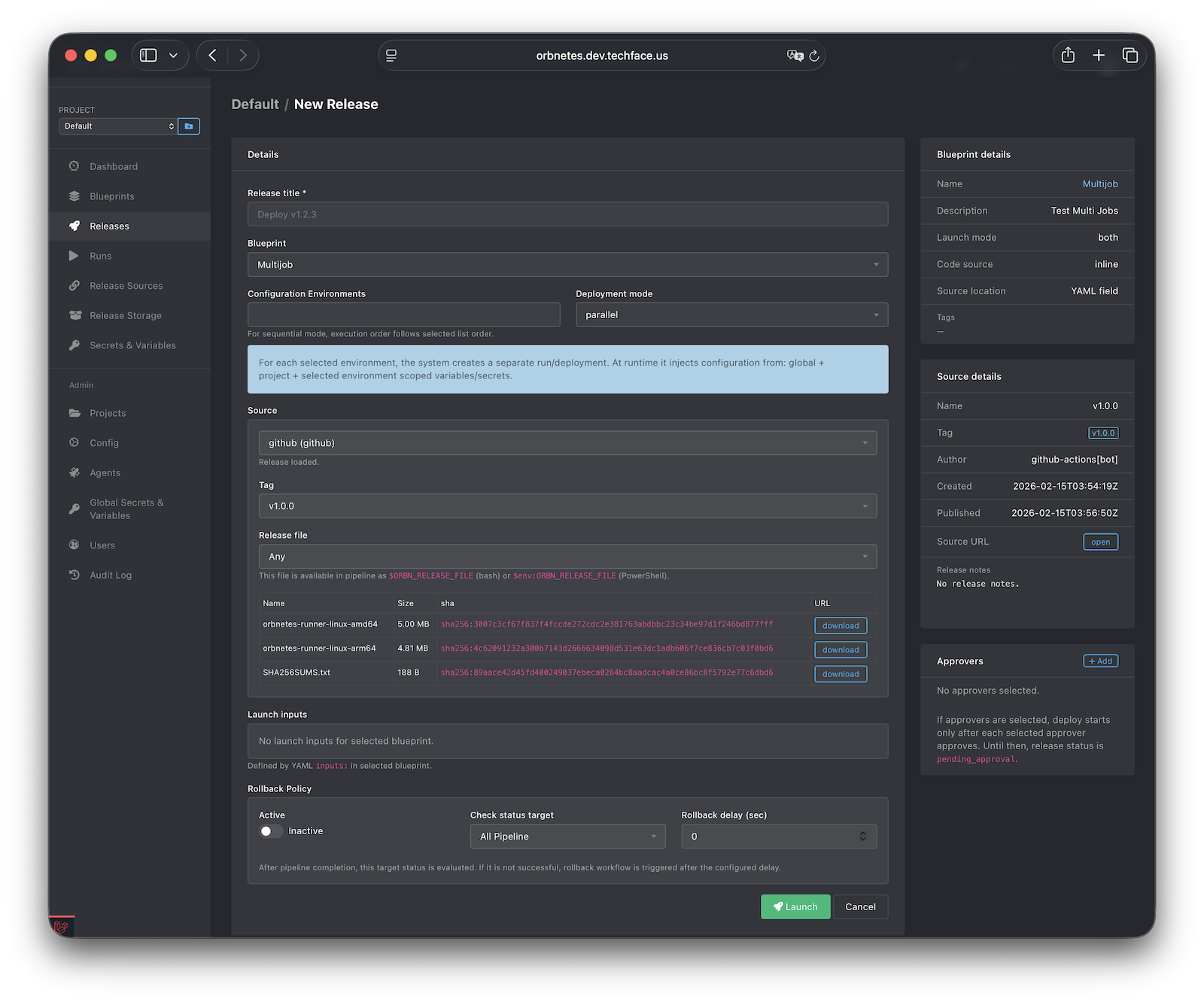
- Open Releases -> Create.
- Fill release title.
- Select blueprint.
- Select source, tag, and release file.
- Select configuration environments if needed.
- Add approvers (optional).
- Launch.
What to confirm:
- Without approvers: release starts immediately.
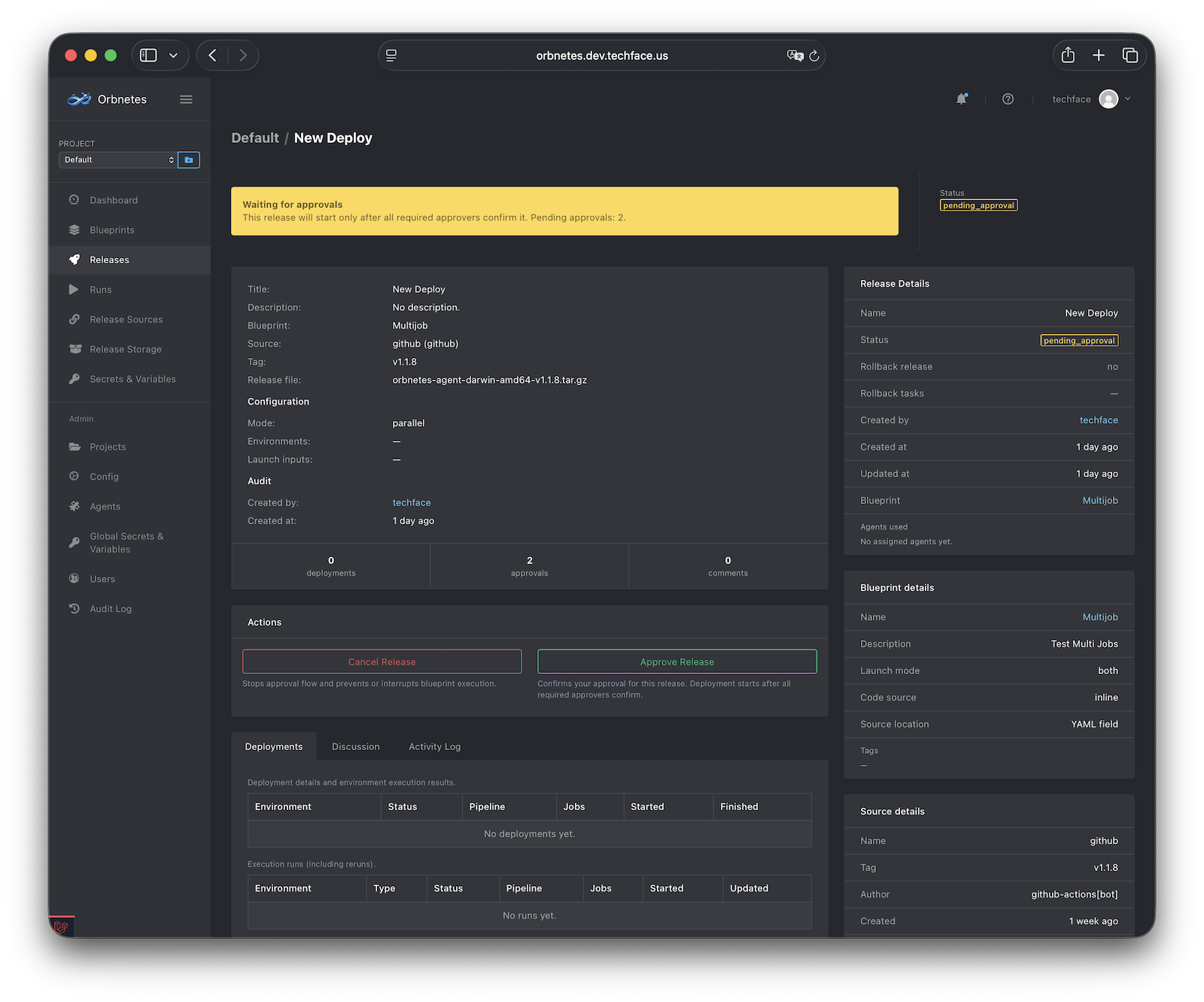
- With approvers: release enters
pending_approvaland starts only after approvals. - Release detail page shows status, deployments, discussion, and linked pipeline.
Quick troubleshooting checklist
- If queued too long: check agent tags and online status.
- If source fields are empty: verify source config and connectivity.
- If run fails fast: inspect first failed step in live console.
- If release waits: check approval list and pending approvers.