3.1 Control Plane vs Agent Execution Plane
3.2 Project Scope Model
3.3 Data Flow: Source -> Release -> Pipeline -> Logs/Artifacts
3.4 Runtime Configuration Layers (global / project / environment)
3.5 Pipeline Execution Semantics
3.6 Release Governance Path
3.7 Rollback Architecture (Policy-driven)
3.8 Security and Trust Boundaries
3.9 State and Persistence Model
3.10 Scalability Model
3.11 Failure Modes and Recovery Patterns
3.12 Why This Architecture Works in Practice
2.2 Create Project
Orbnetes deployment and release orchestration documentation for operators and platform teams.
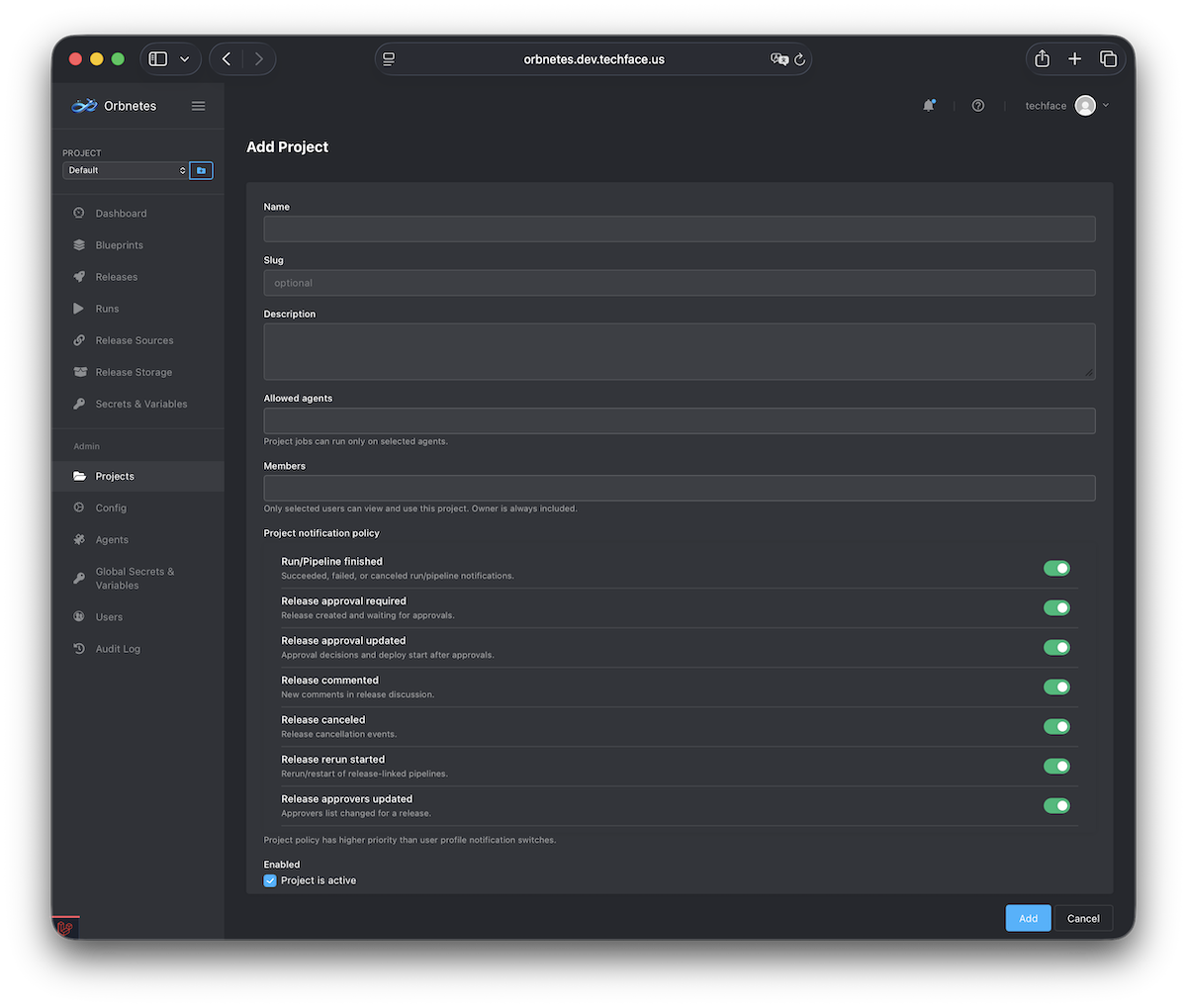
A project is the primary operational boundary in Orbnetes. Most entities (blueprints, releases, runs, secrets/variables, environments) are managed within project context.
Steps:
- Open Projects -> Create.
- Fill basic fields (name, slug/identifier, description).
- Select allowed agents (or set later in project settings).
- Add members if needed.
- Save and switch UI context to this project.
Why this matters:
- Keeps release activity isolated by product/team/environment domain.
- Enables project-level permissions and notification policy.
- Prevents cross-project execution confusion.
Validation:
- Project appears in project selector.
- Project dashboard pages show scoped data (not global mixed data).