Self-hosted CI/CD release orchestration features
Orbnetes helps DevOps, SRE, and backend teams replace fragmented release scripts with one controlled deployment flow: blueprint, approvals, pipeline execution, audit trail, and rollback.
Blueprint-driven pipelines
Define CI/CD logic in YAML with DAG dependencies, conditions, retries, and rerun controls for failed or full execution paths.
Release approvals and environment control
Gate deployments with approval flows, comments and role-based access before running releases in the right environment.
Lightweight multi-OS agents
Run workloads on Linux, macOS, and Windows agents with tags, live logs, artifacts, and fast self-hosted setup.
Audit trail and rollback safety
Track every action via API and audit logs, enforce rollback policies, and reduce incident recovery time after failed deploys.
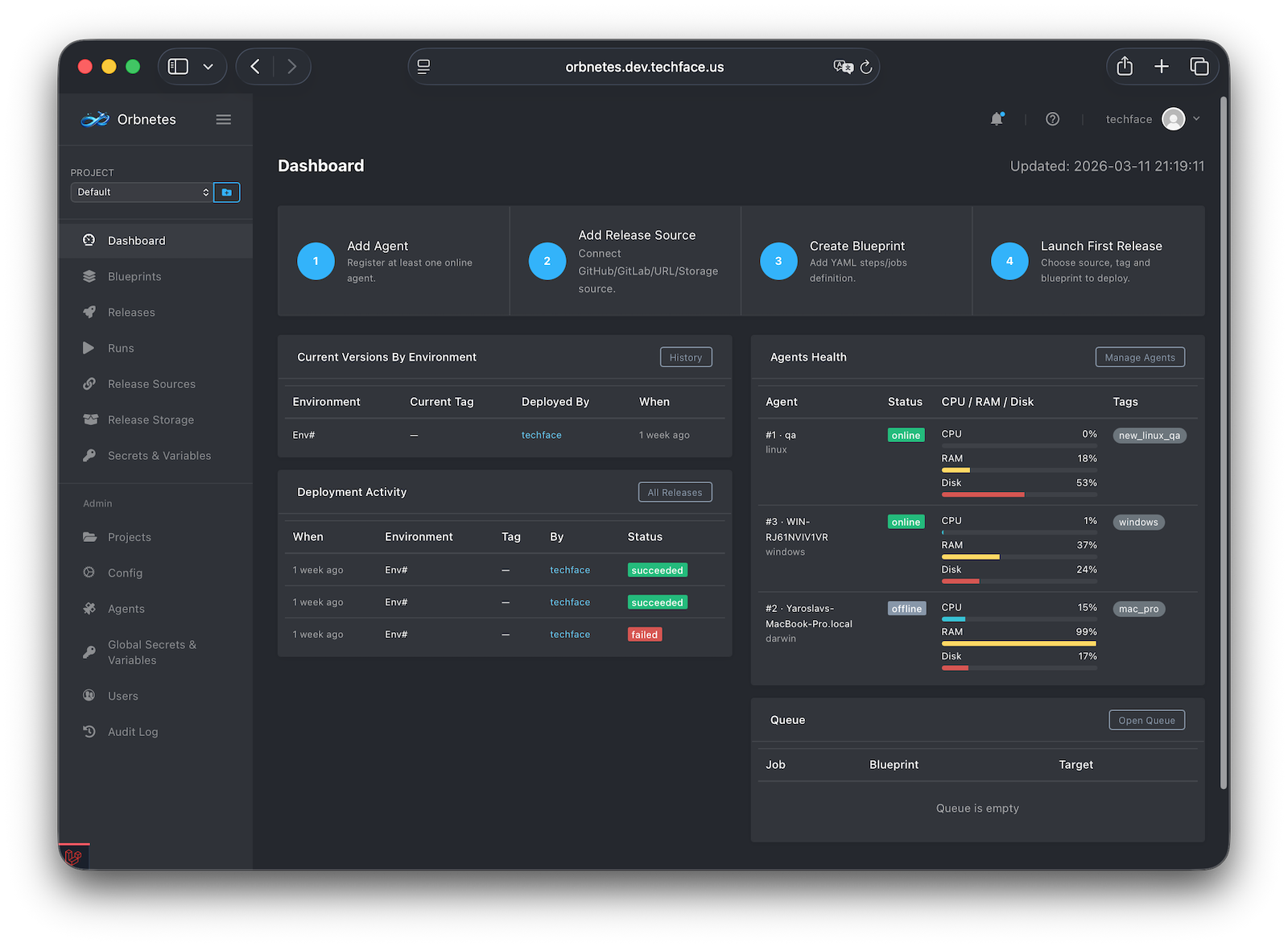
Full Control and Audit
Know exactly who deployed what, when, where, and on which server
Orbnetes gives your team a clear release timeline and real-time product state dashboard. Every deployment event is traceable by actor, time, project, release, version, tag, environment, and execution target.
- Who: exact user role and actor that initiated or approved the release
- When and What: timestamp with project, release, version, and tag
- Where: exact environment used for deployment execution
- Which server: execution host visibility for complete audit and rollback confidence
Pipeline Graph Benefits
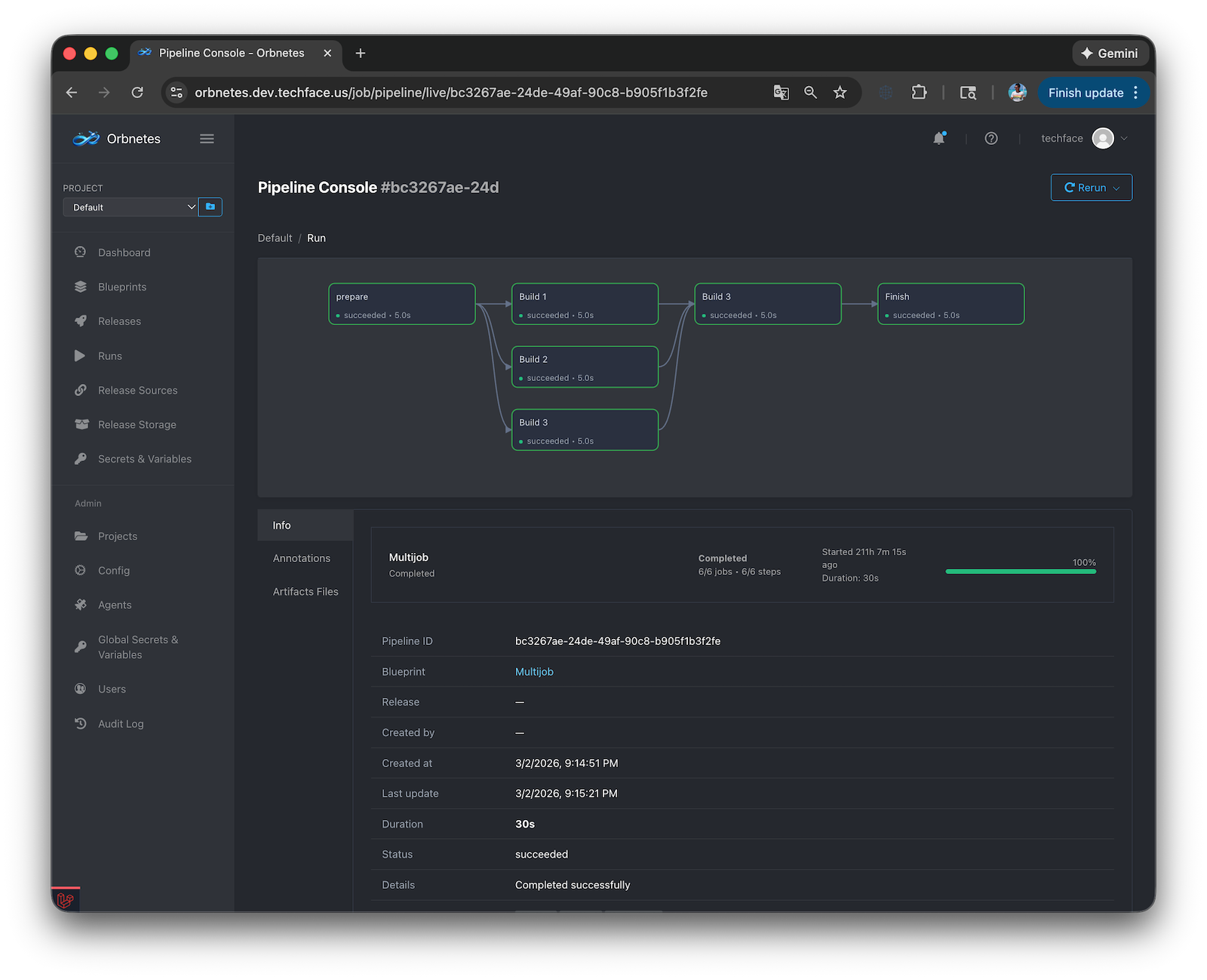
Live DAG visibility for faster delivery and recovery
Orbnetes Pipeline Graph shows real dependencies and live execution state, so teams can detect blockers early, jump into job details, and recover failed runs without manual routine.
- Real-time DAG: done, running, and waiting jobs visible instantly
- Step-level live status with heartbeat, progress, and duration
- Deep drill-down from graph to live job run, logs, and timeline
- One-click recovery with Rerun all / Rerun failed and clear blocker context
Live Console / Terminal Benefits
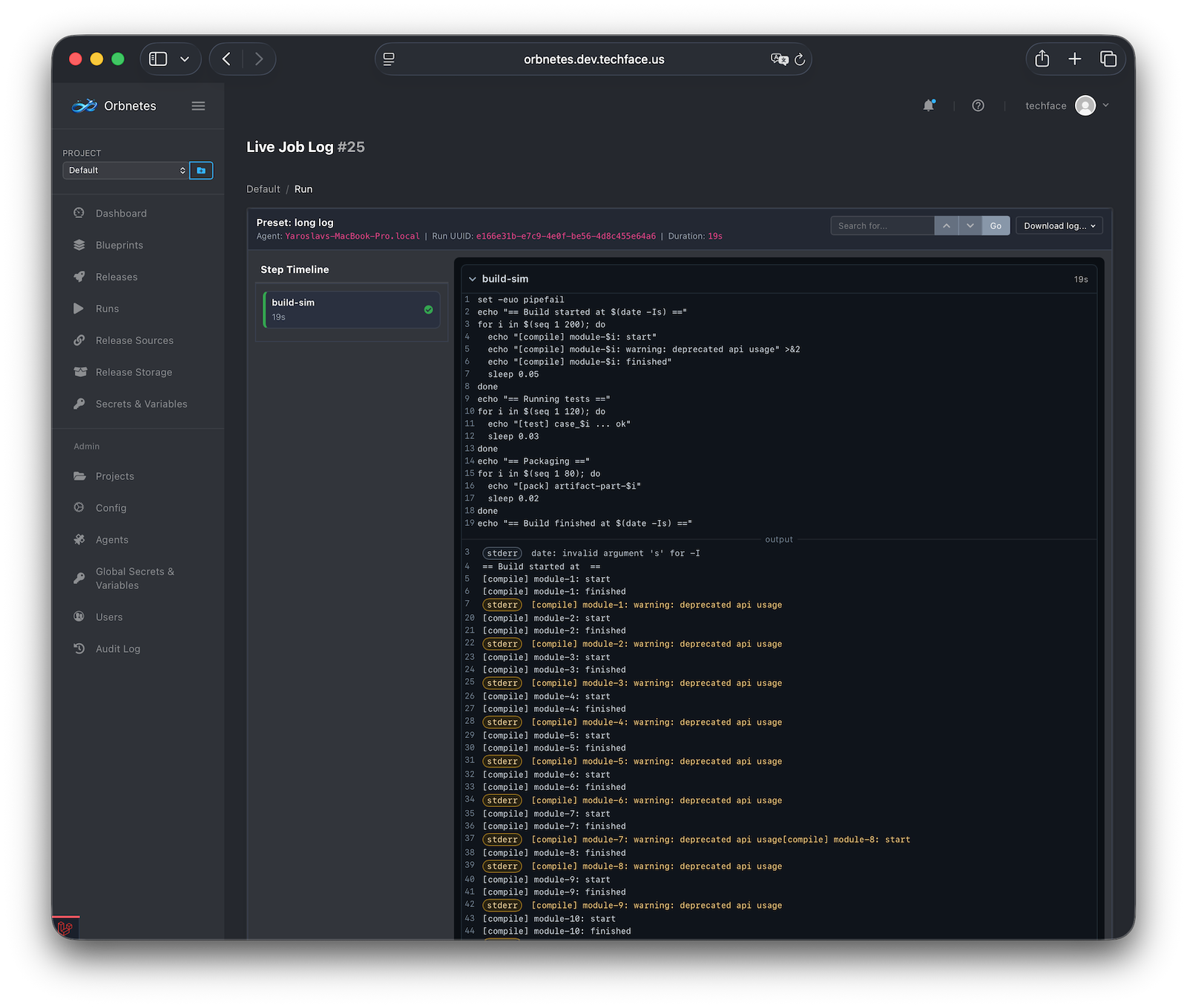
Real-time execution insight without losing readability
Orbnetes streams job output live with step-level structure, fast search, and full context, so teams can debug incidents quickly and export evidence for reporting.
- Live log stream during step execution, no manual page refresh
- Step-based timeline shows exactly where and why a run failed
- Search with quick navigation, line anchors, and stable live reading
- Export job or pipeline logs with release/pipeline/job context
Platform capabilities for controlled delivery
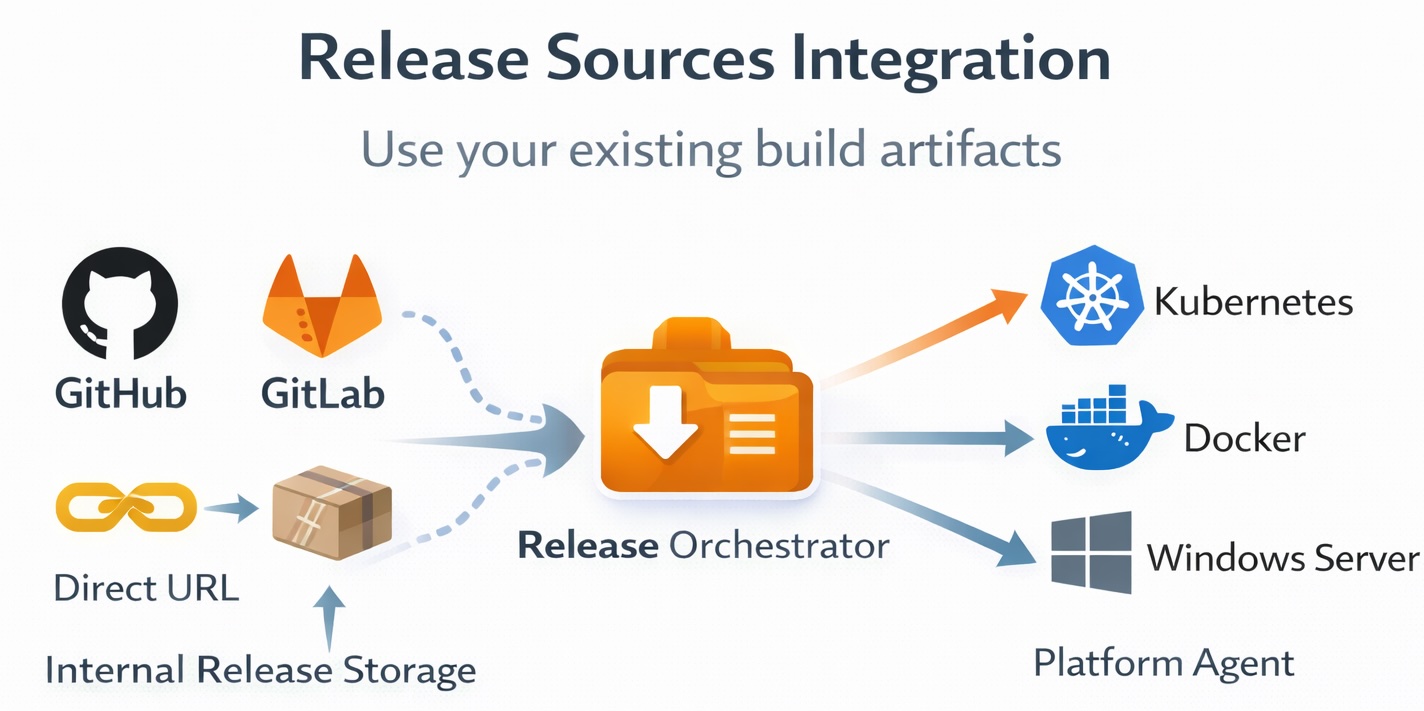
Release Sources Integration
Use your existing build artifacts
Connect GitHub, GitLab, direct URL, or internal Release Storage and deploy already-built versions without rebuilding every time.
- Connect GitHub Releases, GitLab Releases, URL, or internal source
- Select tag/version and release file at launch
- Build once, deploy many times across environments
- Preserve metadata for traceability and reliable rollback
Blueprints (YAML Pipelines)
Simple YAML, production-grade execution
Human-readable blueprints with real pipeline controls for dependable deployment workflows.
- DAG execution with needs, parallel jobs, and dependency graph
- Conditions, failure strategies, and rerun controls
- Typed launch inputs with validation for safe runtime parameters
- Environment-aware execution with project/global secrets and variables
Blueprint Example
name: simple-release-deploy
description: Backup + deploy selected release file
inputs:
  target_env:
    type: string
    required: true
jobs:
  backup:
    tags: [linux]
    steps:
      - name: backup
        shell: bash
        run: |
          echo "Backup before deploy (env=${{ inputs.target_env }})"
  deploy:
    needs: [backup]
    tags: [linux]
    steps:
      - name: deploy-release-file
        shell: bash
        run: |
          echo "Deploying file: $ORBN_RELEASE_FILE"
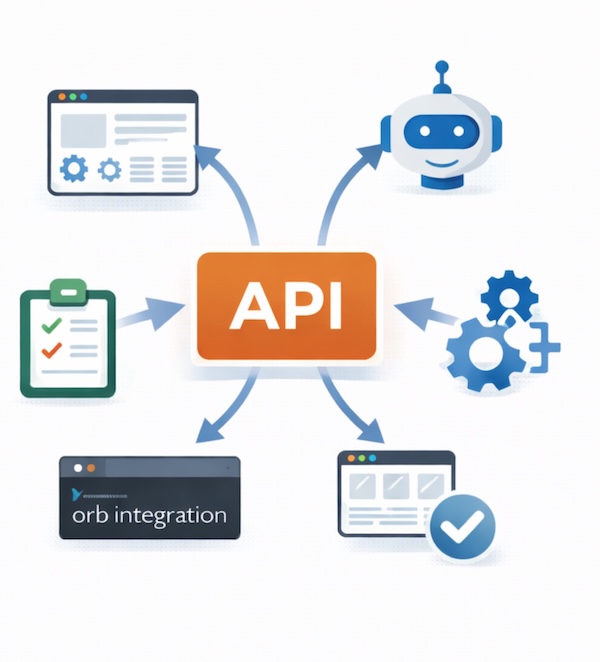
API-First Platform
Full API for platform integration
Automate Orbnetes from internal portals, bots, release managers, and orchestration systems using project-scoped API workflows.
- Launch standalone blueprint runs and release pipelines via API
- Read states and stream or paginate logs programmatically
- Approve, cancel, and rerun flows from external automation
- Build custom UI/CLI integrations without DB coupling
Access Control, Approvals, and Auditability
Controlled delivery with clear responsibility
Enforce project-scoped access, approval gates, and complete action history to keep release operations secure and accountable.
- Project-level permissions for pipelines, releases, secrets, variables, and agents
- Optional approval workflows before deployment starts
- User-level API keys and strict access boundaries
- Central audit log and soft-delete history for accountability
Permissions Matrix
| Scope | Capability | Access |
|---|---|---|
| Global | Super admin | All access |
| Global | Global secrets | Manage |
| Global | Global variables | Manage |
| Project | Blueprints | Create / Edit / Delete |
| Project | Run releases | Execute |
| Project | Pipelines | Stop / Restart |
| Project | Approvals | Approve & Deploy |
| Project | Release sources | Create / Edit / Delete |
| Project | Project secrets | Create / Edit / Delete |
| Project | Project variables | Create / Edit / Delete |
| Project | Environments | Create / Edit / Delete |
| Project | Release storage | Create / Edit / Delete |
| Project | Agents | Create / Edit / Delete |