3.1 Control Plane vs Agent Execution Plane
3.2 Project Scope Model
3.3 Data Flow: Source -> Release -> Pipeline -> Logs/Artifacts
3.4 Runtime Configuration Layers (global / project / environment)
3.5 Pipeline Execution Semantics
3.6 Release Governance Path
3.7 Rollback Architecture (Policy-driven)
3.8 Security and Trust Boundaries
3.9 State and Persistence Model
3.10 Scalability Model
3.11 Failure Modes and Recovery Patterns
3.12 Why This Architecture Works in Practice
2.3 Register First Agent
Orbnetes deployment and release orchestration documentation for operators and platform teams.
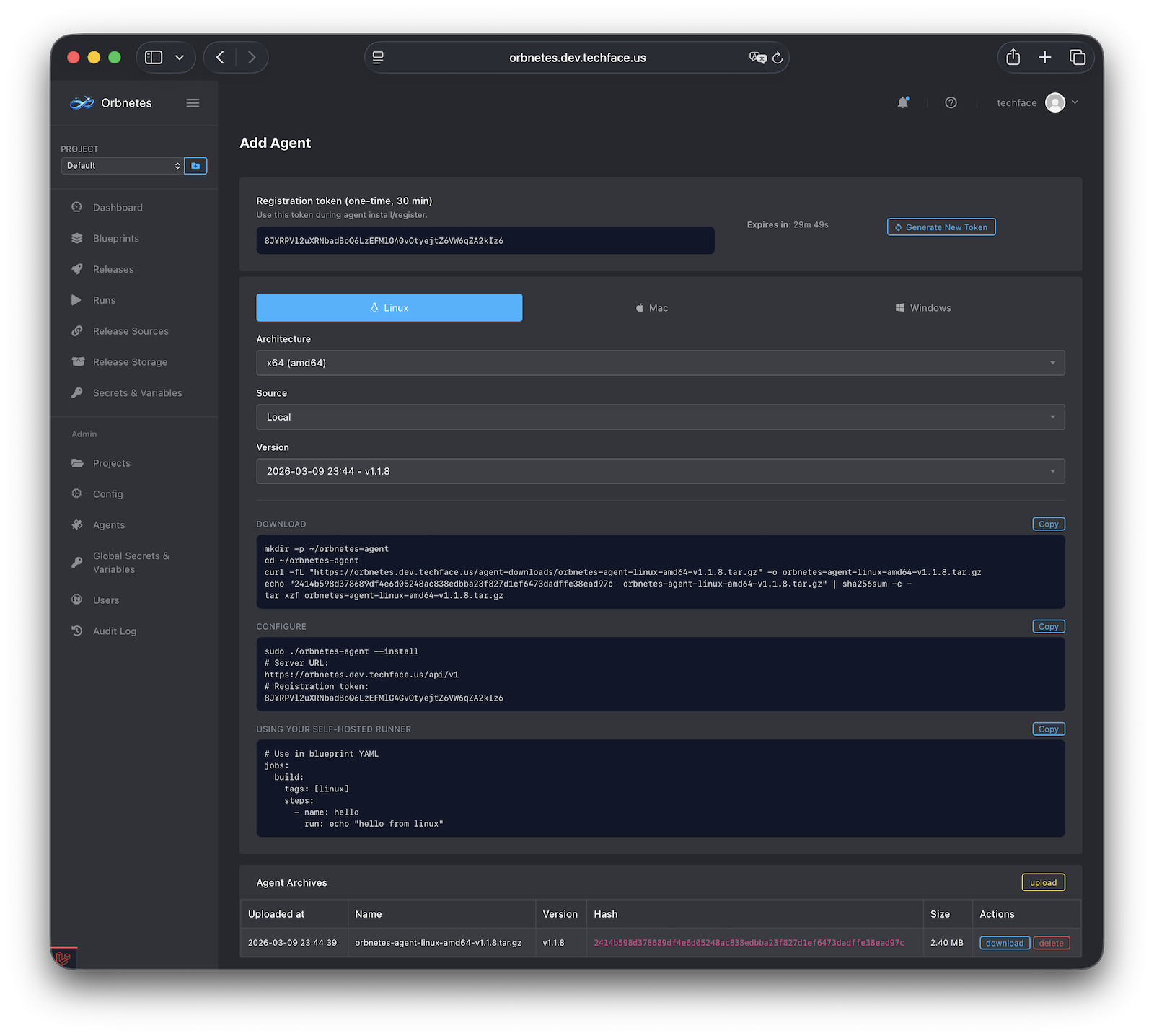
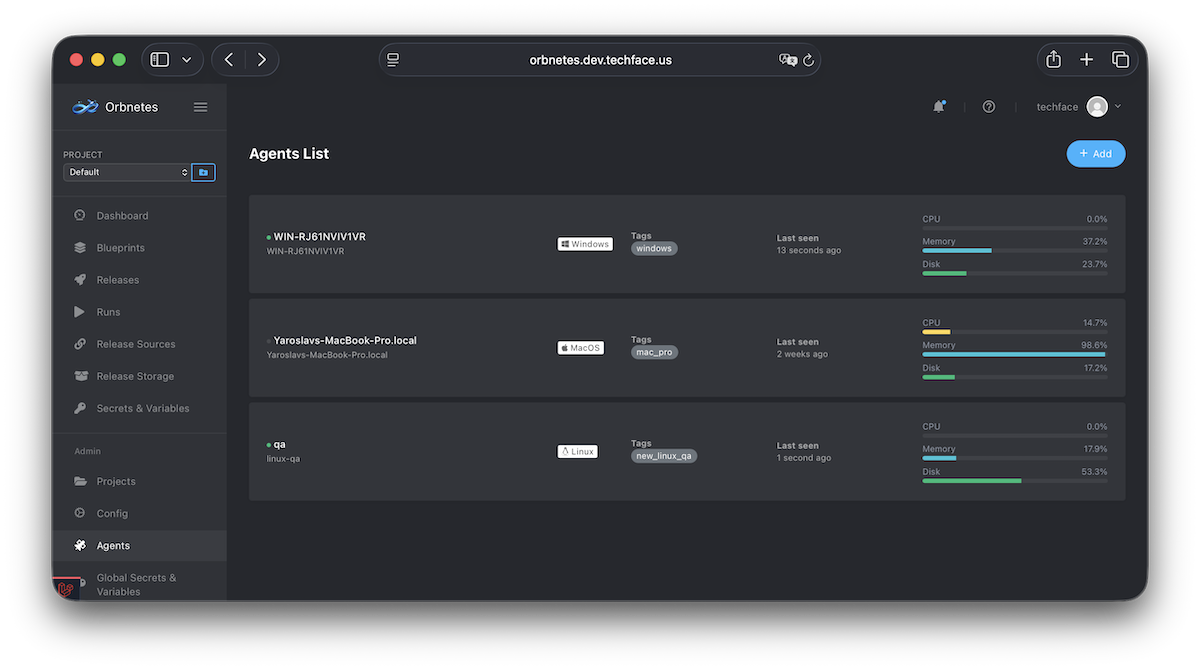
The first agent proves execution path from Orbnetes API to target host.
Steps:
- Open Agents -> Create.
- Generate registration token.
- Choose OS and architecture in install instructions.
- Download binary/archive and install on target host.
- Start service and verify heartbeat.
- Confirm agent appears as online in Agents list.
Operational guidance:
- Start with one stable host and one clear tag (
linux,qa, etc.). - Use least-privileged service user where possible.
- Keep runner config file permissions restricted.
Validation:
- Agent status is online.
- Runtime metadata (hostname, OS, version, heartbeat) updates.
- Test job can be routed to this agent by tag.